

Pool Waterline, Technical
Pool Tile Discoloration: What Causes It and How to Fix It

Jul
Pool Tile Discoloration – Common Causes & Solutions
Understanding Pool Tile Discoloration
Pool tile discoloration often frustrates homeowners who want to keep their pools looking pristine. When once-vibrant tiles appear faded, stained, or dull, several underlying factors may be responsible. These include mineral buildup, chemical imbalances, algae growth, and poor tile quality.
Fortunately, in many cases, tile discoloration does not mean permanent damage. Instead, it often results from water deposits, staining, or neglect. Addressing the root cause of the problem ensures that your tiles remain bright and clean for years to come.
Most high-quality pool tiles feature UV-resistant glazes and chemical-proof surfaces. However, they can still appear discolored when exposed to calcium buildup, organic matter, and improper maintenance. Identifying the cause of the discoloration is the first step in restoring your pool’s original beauty.
1. Calcium Buildup – A Common Cause of White or Gray Discoloration

Why Does Calcium Form on Pool Tiles?
Calcium deposits accumulate when hard water evaporates and leaves behind mineral residue. This issue often leads to stubborn white or gray stains that dull the appearance of pool tiles.
There are two types of calcium buildup:
- Calcium Carbonate: A chalky, white residue that comes off easily with mild acid cleaners.
- Calcium Silicate: A hardened, crystallized deposit that requires stronger acid treatments or professional cleaning.
How to Remove Calcium Deposits
- Use a pumice stone or soft brush to scrub off light calcium buildup.
- Apply vinegar or a mild acidic cleaner to dissolve calcium carbonate.
- For tougher deposits, use a commercial tile descaler or hire a professional cleaner.
Prevention Strategies
- Maintain balanced pH and alkalinity levels to reduce mineral deposits.
- Use a pool scale prevention treatment to slow calcium buildup.
- Regularly brush and clean tiles to prevent excessive residue accumulation.
When calcium deposits go untreated, they become harder to remove. Regular cleaning helps keep tiles free from buildup and prevents long-term discoloration.
2. Algae Growth and Bacterial Stains

How Does Algae Discolor Pool Tiles?
Algae thrives in pools with low chlorine levels, poor circulation, or warm temperatures. Over time, it forms unsightly stains that change the color of pool tiles. The three most common types of algae include:
- Green algae: Leaves a slimy green layer on tile surfaces.
- Black algae: Creates deep-rooted colonies that resist scrubbing.
- Yellow or mustard algae: Resembles dirt or sand and clings stubbornly to tiles.
How to Remove Algae Stains
- Shock the pool with a strong chlorine treatment to kill algae spores.
- Scrub affected tiles with a stiff brush and an algaecide cleaner.
- Run the pool filtration system continuously to clear algae from the water.
How to Prevent Algae Discoloration
- Keep chlorine levels within the recommended range to prevent algae growth.
- Ensure proper water circulation and maintain a clean filter.
- Regularly scrub and vacuum the pool to remove organic debris.
Since algae spreads quickly, addressing it early prevents it from taking over the pool and staining tiles.
3. Discolored Grout Below the Waterline

Why Does Grout Change Color?
Over time, grout absorbs moisture, minerals, and bacteria. This often results in discoloration, making even clean tiles appear dirty.
Common causes of grout discoloration include:
- Mold and mildew growth due to constant moisture.
- Mineral deposits from hard water settling into porous grout.
- Chemical imbalances weakening grout and altering its color.
How to Restore Grout Color
- Scrub grout lines with a baking soda paste or grout cleaner.
- Use a steam cleaner to remove deep-set stains.
- Reapply epoxy grout, which resists water absorption and discoloration.
How to Keep Grout from Discoloring
- Apply a grout sealer every six to twelve months to prevent moisture penetration.
- Maintain proper pool chemistry to minimize mineral buildup.
- Clean tiles and grout regularly to remove dirt and bacteria before staining occurs.
4. Stains from Metals and Organic Matter
How Do Metals and Organic Debris Cause Discoloration?
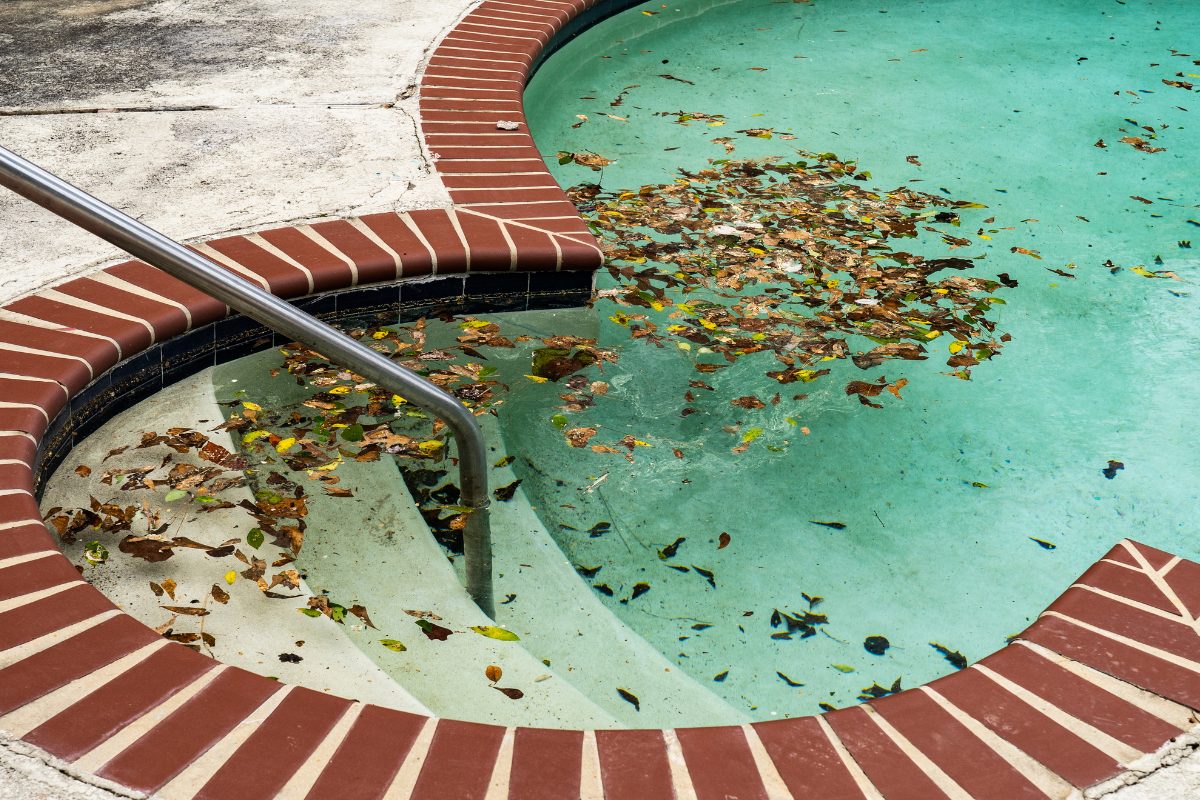
Certain environmental factors lead to pool tile staining, including:
- Metals like iron, copper, or manganese cause brown, blue, or green stains.
- Organic materials such as leaves and pollen release tannins, creating yellow or brown discoloration.
How to Remove Stains from Pool Tiles
- Use a metal sequestrant to remove metal particles from pool water.
- Apply a pool stain remover to dissolve organic stains.
- Skim the pool daily to remove leaves, twigs, and other debris before they break down.
How to Prevent Stains from Returning
- Regularly test pool water for metal content and adjust chemical levels accordingly.
- Keep the pool covered when not in use to prevent debris accumulation.
When left untreated, stains from metal or organic matter can permanently change the color of pool tiles.
5. Low-Quality Pool Tiles and Fading Issues

How Do Poor-Quality Tiles Contribute to Discoloration?
Low-grade pool tiles may lack UV protection, strong glazes, or chemical resistance. As a result, they fade, crack, or become discolored more quickly.
Common signs of low-quality tiles include:
- Fading after prolonged exposure to sunlight.
- Chipping or peeling of the tile surface.
- Absorbing stains due to high water absorption rates.
How to Fix and Prevent This Issue
- Choose UV-resistant, chemical-resistant pool tiles from reputable brands.
- Avoid tiles with high porosity, as they absorb water and stain more easily.
- Consider replacing discolored tiles with a more durable material.
Investing in high-quality tiles prevents long-term discoloration and reduces maintenance costs.
Replacing Pool Tiles That Cannot Be Restored
When cleaning does not restore a tile’s color, replacement may be the best option.
Steps for Pool Tile Replacement
- Drain the pool to expose affected tiles.
- Carefully remove the discolored tiles using a chisel or scraper.
- Clean the area thoroughly, removing old adhesive and grout residue.
- Apply a new tile adhesive and install the replacement tiles.
- Reapply grout and seal the tiles to prevent future discoloration.
Professional tile installers ensure proper adhesion and waterproofing, preventing further damage.
Final Thoughts – How to Keep Pool Tiles Looking New
Pool tile discoloration does not have to be a permanent problem. With the right cleaning methods, regular maintenance, and high-quality materials, you can restore and preserve the vibrant look of your pool tiles.
Key Takeaways
- Identify whether discoloration is due to calcium deposits, algae, metal stains, or grout issues.
- Use proper cleaning methods, such as acid washing, chlorine treatments, and descalers.
- Maintain balanced water chemistry to prevent buildup and staining.
- Seal grout and choose high-quality, UV-resistant tiles for long-term durability.
By following these strategies, you can prevent pool tile discoloration and enjoy a clean, inviting pool for years to come.
Looking to Upgrade Your Pool Tiles?
If your pool tiles need replacement, explore our selection of high-quality, stain-resistant tiles designed for long-term durability.
Contact us today to find the perfect tile for your pool!
